BauTV+ NewsBlog · Construction Cameras
How to Choose a Construction Site Camera
- construction site camera
- camera selection
- site documentation
- rent or buy
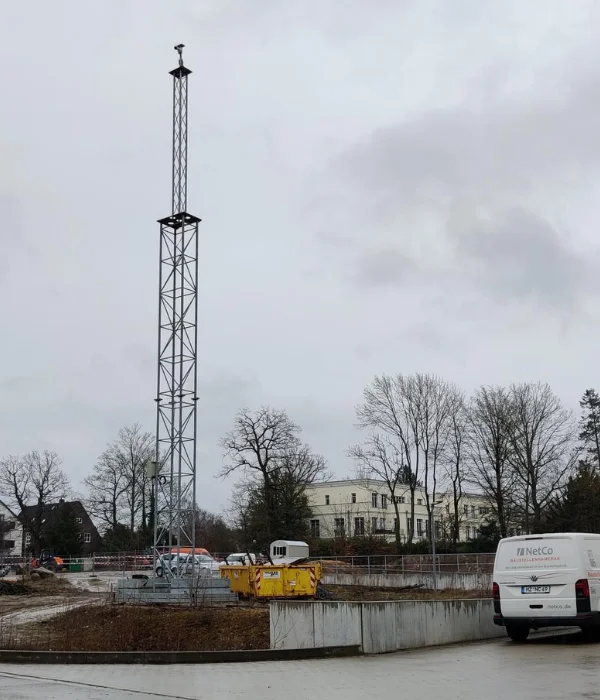
A construction site camera looks simple to buy until the mast goes up and the first images come back blurred, the battery dies over a bank holiday, or a neighbour complains their garden is visible in the feed. Most of these problems trace back to decisions made before the contract was signed. The criteria below cover what is worth settling during procurement, before a supplier quotes a price.
Resolution versus field of view
A 4K sensor sounds like the safe choice, but resolution only matters against the area it covers. A 3840 by 2160 pixel sensor aimed at a site 200 metres wide gives roughly 19 pixels per metre across the frame, before lens distortion and distance loss. Enough to show progress on a building’s shell, not enough to read a number plate at the fence line or identify a person.
Ask any supplier for the expected pixel density at the furthest point of interest, not the sensor’s headline resolution. If the brief needs fine detail, such as reading delivery labels, a second camera with a narrower field of view usually solves this more cheaply than one high-resolution unit covering the whole plot.
Mounting: height and sightlines for the whole project
The mounting decision has to account for the building’s final height, not how the site looks on day one. A camera at 6 metres suits groundworks, but past two or three storeys it faces a wall instead of the site. Masts commonly run 6 to 15 metres; height depends on final building height, facade distance, and whether nearby trees will block the view once leaves return.
Facade mounting on a neighbouring building can avoid the mast, but needs that owner’s permission for the whole project, including any lease renewal falling mid-build. Crane-mounted cameras give height without a mast but come down with the crane, often before fit-out finishes. A container roof suits smaller sites needing only 3 to 4 metres.
Power and connectivity
Mains power is simplest where a site already has a connected supply, but greenfield sites often lack one at first. Solar with a battery buffer is the common fallback and works well through spring and summer in northern Europe. The failure mode to plan for is winter: short daylight and overcast weather in the UK, the Netherlands and Germany can leave a battery unable to recharge, especially if scaffolding shades the panel. A generator avoids that but creates another: nobody refuels it, and a camera that stops recording over an unattended weekend defeats the point.
Connectivity follows the same logic. A dedicated LTE or 5G SIM is the default choice since it does not depend on the site’s own network. Site WLAN can work if stable, but construction networks change access points as cabins move, breaking the connection more often than mobile.
Weather and vandalism resistance
An IP66-rated housing is the practical minimum for a camera left outdoors for months, since it must withstand driving rain and earthworks dust without losing function. A built-in heater matters more than it sounds: without one, lens condensation on cold mornings can blank out the first hour of footage through autumn and winter, quietly eroding the record before anyone notices. A mast rated for typical wind loads can still need extra guying on an exposed hilltop.
Theft and vandalism are real risks on unattended sites, especially overnight, since a mast-mounted camera sits above head height but its cable run does not. Locked mast sections and a hidden cable route reduce the risk; a tamper alert turns a multi-day outage into a same-day fix.
Image interval, storage and retention
The image interval trades storage against catching short events such as a delivery or unauthorised access. A 15-minute interval is a common default for progress documentation and keeps storage modest over a year-long project. Shorter intervals, down to one image per minute, generate far more data and are usually reserved for a smaller set of cameras watching a safety-critical area. BauTV+ uses a 15-minute default interval, with EU-based hosting for the image archive.
Retention needs deciding at the outset, not after a dispute arises: some projects keep the full history through the warranty period, others accept a rolling 90-day window. Ask what happens to the data at contract end, since a proprietary viewer that stops working afterwards causes frustration when a delay dispute surfaces a year later.
Data protection
A camera aimed at a construction site is likely to also capture public paths, neighbouring gardens or passers-by, raising the same obligations as any CCTV installation in the UK, the Netherlands or Germany. Automatic pixelation of people keeps a public-facing time-lapse compliant without manual review of every frame; BauTV+ applies this by default. Access to the raw feed should stay limited to named accounts with a clear reason, worth checking at handover. See GDPR-compliant construction site documentation for the legal detail.
Software and rent or buy
The hardware is only half the product. A usable web portal should let a project manager pull up any day’s images without downloading files, generate a time-lapse export, and compare two dates side by side. An API or share link matters for contractors who want the feed in their own dashboard. Ask to see the portal live; gaps that look minor in a demo become daily friction on site.
The choice between renting and buying comes down mostly to project duration and the number of concurrent sites. A single project under roughly a year rarely justifies owning hardware, since installation, relocation and removal are included in most rentals. A contractor running several sites at once can reach a break-even point where owned hardware costs less, provided someone handles maintenance and relocation. See rent or buy construction site cameras for the comparison.
Service is often overlooked in a contract review. Sites change: a camera position that suited groundworks may need to move up the mast, or elsewhere, once scaffolding or a crane blocks the sightline. Ask how relocation is handled mid-contract, and whether response time is written into the agreement.
Choosing a construction site camera mostly means matching equipment to how the site will change over the coming months, not to how it looks the day the mast goes up.
| Criterion | What to ask | Red flag |
|---|---|---|
| Resolution vs field of view | Pixel density at the furthest point | Only headline resolution quoted |
| Mounting height | Sightline at final building height | No plan to reposition as it rises |
| Power | Behaviour in winter or over a long weekend | No backup for solar or generator downtime |
| Connectivity | Signal check at the mast location | Relies on site WLAN that keeps changing |
| Weather/vandalism resistance | IP rating, heater, tamper alert | No alert on disconnection |
| Image interval/retention | Export format and storage plan at contract end | No answer on data ownership after contract |
| Data protection | Pixelation method, access list for raw footage | Raw feed open to unnamed users |
| Rent or buy | Break-even point for the project count | No plan for relocation or maintenance |